
PM3time allows you to print (or export) the current expenses claim. To do this, press the “Print” icon next to the “Refresh” icon.
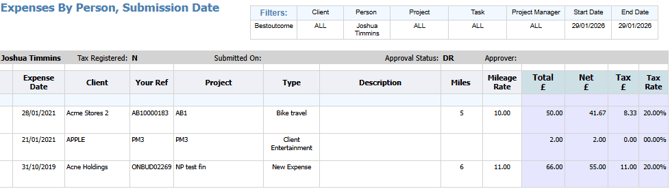
Doing so will take you to the Reports page and automatically produce a printable Expenses report:
For more info on how to use and navigate the reports, see the dedicated 'Reports' article.