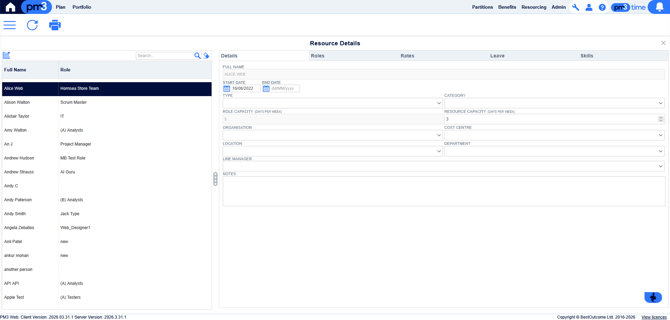
- Selecting Resourcing > Resourcing Details allows Allows Resource Managers to control resource-related details for individual users, such as Role Membership, Default Capacity and Annual Leave they have scheduled.
- Click on a resource in the list at the left and see the details of the selected item, available in the right for editing. The right side is split into several categories, presented as sub-tabs:
- Details - General information about the resource, such as name, capacity, location, etc.
- Roles - Role memberships that the resource has. These are time-windowed, i.e. a resource's membership with a role has a start and an end date. Users cannot be in more than one role concurrently (i.e. role memberships cannot overlap), however this view will allow you to define both past and future roles for your resource. Role memberships are read-only once defined and must be re-made if they need to be changed.
- Rates - This view shows rate information for the resource, i.e. how much that resource charges per time unit. These rate records are also time-windowed. Rates are by default inherited from the role, and will appear on this view as such, however you may also define resource-specific rates in this view that will override the role's rates. Please see the Resourcing Rates article for more information.
- Leave - This view allows you to define leave records for the resource. This includes annual leave, unpaid leave, maternity leave etc.
- Skills - This view allows you to define skills specific to the resource, much like on the Roles > Skills view.